What to Do If You Bought an iPhone With a 'Surprise' (Activation Lock)
You bought a used iPhone, and a week later it suddenly locked. Don't panic. Here's your complete step-by-step action plan — from contacting the seller and legal recourse to technical solutions like Apple Support and S7OFF.
The Nightmare Scenario: Your iPhone Locked a Week After Purchase
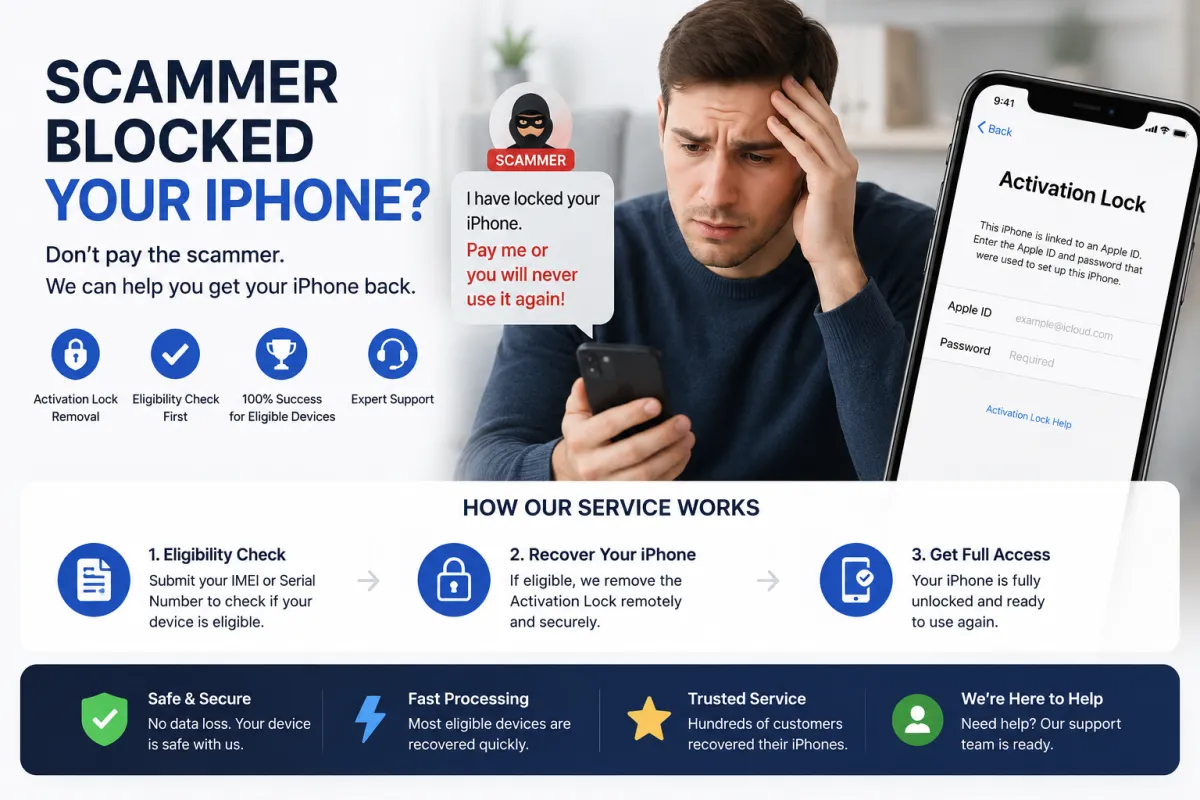
You found a great deal on a used iPhone. The device worked perfectly. You checked the camera, the screen, even the battery health. You paid your money and went home happy. Then, a week later — out of nowhere — the screen goes dark. When you restart it, you see the dreaded message: 'iPhone is linked to an owner' or 'Activation Lock'.
This is one of the most common and frustrating scams on the second-hand market. The previous owner (or a scammer) didn't properly remove their Apple ID from the device. Or worse — they deliberately left it linked so they could lock it remotely and demand more money.
But here's the good news: you have options. This guide walks you through exactly what to do — from contacting the seller and asserting your legal rights to technical solutions that can get your device working again.
Step 1: Stay Calm and Diagnose the Problem
First things first — don't panic. What you're seeing is Activation Lock, Apple's security feature that ties an iPhone to its owner's Apple ID when Find My iPhone is enabled[reference:0]. When you see this screen, it means the device is still linked to someone else's account[reference:1].
Important distinction: There are two scenarios here:
- The seller simply forgot to remove their Apple ID — This is an honest mistake. Many sellers don't realize they need to sign out of iCloud before selling.
- The seller is a scammer — They deliberately left the device linked so they could lock it remotely and demand a ransom[reference:2].
How can you tell the difference? If the seller responds quickly and apologetically, it's likely an honest mistake. If they ignore you, block you, or demand more money to 'unlock' it — it's a scam.
What NOT to do: Don't try to guess the password or attempt to bypass the lock with unofficial software. These methods rarely work and can permanently damage your device[reference:3].
Step 2: Contact the Seller Immediately
Your first and simplest option is to contact the person who sold you the device. Here's how to approach it:
- Be polite but firm: Send a message explaining that the iPhone is locked to an Apple ID and ask them to remove it remotely. They can do this by going to icloud.com/find, selecting the device, and clicking 'Remove from Account'[reference:4].
- Keep records: Save all your communication — screenshots of messages, call logs, and emails. You'll need these if you have to take legal action[reference:5].
- Set a deadline: Give them a reasonable time (e.g., 48 hours) to respond and resolve the issue.
If the seller cooperates: The problem is solved. They remove the device from their iCloud, you restart your iPhone, and it works normally.
If the seller ignores you or refuses to help: Proceed to Step 3.
Step 3: Assert Your Legal Rights (If You're in Russia/CIS)
If the seller refuses to help, you have legal recourse. In Russia and many CIS countries, consumer protection laws are on your side.
Your legal position:
- The seller sold you a product of inadequate quality. An iPhone with Activation Lock cannot be used as intended — it's essentially a brick[reference:6].
- The seller withheld crucial information about the device's condition. If you had known about the iCloud lock, you wouldn't have bought it (or would have paid much less)[reference:7].
- If the seller knowingly sold you a locked device, their actions may constitute fraud under Article 159 of the Russian Criminal Code[reference:8].
Step-by-step legal action plan:
- Send a formal written claim (pretenziya): This is your most important document. Write a letter demanding a refund for the inadequate-quality product. Reference Articles 4, 10, and 18 of the Consumer Protection Law. Give the seller 10 days to respond[reference:9].
- Deliver the claim properly: If possible, hand it to the seller in person and get a signature confirming receipt. If you can't, send it by registered mail with acknowledgment of receipt[reference:10].
- If they don't respond or refuse: You can take the case to court. You can claim not only the purchase price but also penalties, a 50% fine, and compensation for moral damages[reference:11][reference:12].
Important: For a court case, you'll need proof of purchase — a receipt, bank transfer confirmation, or screenshots of the transaction[reference:13][reference:14]. You'll also need evidence of the seller's refusal to help.
Step 4: Contact Apple Support (With or Without Receipt)
Apple is the only official authority that can remove Activation Lock without the previous owner's password. Here's how it works:
If you have the original receipt: This is the easiest path. Go to Apple's Activation Lock support request page (al-support.apple.com) and submit your request with a photo or scan of the receipt[reference:15]. Apple will review your case and, if approved, remove the lock within 3-7 business days[reference:16].
If you don't have the receipt: This is where it gets complicated. Apple is very strict — they typically require proof of purchase showing the serial number or IMEI[reference:17]. However, you can still try:
- Visit an Apple Store or authorized service center in person. Explain your situation and bring any documentation you have (bank statements, screenshots of the transaction, the original box).
- If you bought the phone from a legitimate store (even a used phone retailer), they may have a record of the purchase that can serve as proof.
What Apple WILL NOT do: They will not remove the lock just because you ask nicely. Without proof of ownership, your chances are very low[reference:18].
Step 5: Technical Solutions — IMEI Unlock Services (Like S7OFF)
If the seller won't help and Apple refuses your request (because you lack a receipt), all hope is not lost. Third-party IMEI unlock services like S7OFF offer a practical solution.
How it works:
- You provide your iPhone's IMEI (the unique 15-digit identifier for your device).
- The service performs a free eligibility check to see if your device qualifies for a server-side unlock — removing the previous owner's Apple ID from Apple's database.
- If eligible, you purchase the service, and the unlock is processed within 1-3 business days.
- Once complete, restart your iPhone — the Activation Lock screen disappears, and you can set up the device with your own Apple ID.
Why choose S7OFF:
- No receipt required: Unlike Apple, S7OFF doesn't need proof of purchase — only your IMEI.
- 100% success guarantee: If the eligibility check says your device can be unlocked, we guarantee it will work.
- Permanent unlock: Once unlocked, the device stays unlocked forever — even after iOS updates.
- No password required: Legitimate services like S7OFF never ask for your Apple ID password — only the IMEI. If a service asks for your password, it's a scam.
Warning: Be very careful with third-party services. Many are scams that take your money and do nothing[reference:19]. Always check independent reviews (Trustpilot, Reddit) before paying. S7OFF is a trusted provider with transparent processes and a clear eligibility check before you commit.
Step 6: What NOT to Do — Critical Mistakes
| ❌ Avoid This | Why It's Dangerous |
|---|---|
| Paying the seller a 'ransom' to unlock it | Scammers will demand more money or disappear. You lose both the device and the money. |
| Using free 'bypass' tools from the internet | Most are scams, malware, or only work on very old devices[reference:20]. They can permanently damage your phone. |
| Erasing the device via iTunes/Finder | This does NOT remove Activation Lock — you'll still be locked out after the restore. |
| Confronting the seller aggressively | Stay calm and follow the legal process. Aggression won't help and may make things worse. |
| Ignoring the problem and buying a new phone | You're entitled to a refund or a working device. Don't give up on your rights. |
How to Avoid This Problem in the Future
An ounce of prevention is worth a pound of cure. Here's how to avoid buying a locked iPhone next time:
- Always check the Activation Lock status before buying: Ask the seller for the IMEI or serial number and check it on Apple's official website[reference:21]. If the device is locked, do not buy it[reference:22].
- Watch the seller sign out of their Apple ID: Before handing over money, ask the seller to go to Settings > Apple ID > Sign Out. Make sure Find My iPhone is turned OFF[reference:23].
- Buy from reputable sellers: Look for sellers with good reviews and established profiles. Avoid deals that seem 'too good to be true.'
- Meet in a safe location: Consider meeting at a carrier store where staff can verify the device.
- Keep your receipt: Always get a written receipt or confirmation of the transaction. This is your proof of purchase if you need to contact Apple or take legal action.
Remember: A legitimate seller will have no problem showing you that Find My iPhone is disabled. If they refuse or make excuses, walk away.
Frequently Asked Questions
Q1: I bought an iPhone and it's locked. Can I return it to the seller?
A: Yes, if the seller is a private individual, you can demand a refund under consumer protection laws. If the seller refuses, you can take them to court[reference:24].
Q2: How long do I have to return a defective iPhone?
A: In Russia, you have the right to return a product of inadequate quality within a reasonable time. For hidden defects (like Activation Lock), this period can extend up to 2 years[reference:25].
Q3: Can Apple unlock my iPhone without the original owner's password?
A: Yes, but only if you can provide proof of purchase (receipt with IMEI/serial number). Without it, Apple will almost certainly refuse[reference:26].
Q4: What is an IMEI unlock service, and is it safe?
A> IMEI unlock services remove the Activation Lock from Apple's servers using your device's IMEI. They are safe if you use a reputable provider like S7OFF. Always check reviews and never share your Apple ID password.
Q5: How much does an IMEI unlock cost?
A: Prices vary depending on the device model and lock type. Check S7OFF's website for current pricing — it's typically much less than the cost of a new phone.
Q6: Will an IMEI unlock void my warranty?
A: No. The unlock is a server-side change that doesn't affect the hardware or iOS. Your Apple warranty remains intact.
Q7: The seller says they 'forgot' their Apple ID password. What should I do?
A: If the seller is genuine, they can reset their password through Apple's 'Forgot Password' process. If they can't or won't, it's likely a scam. Demand a refund.
Q8: Can I use a locked iPhone as a Wi-Fi only device?
A: No. Activation Lock prevents you from using the device at all — you can't even get past the setup screen[reference:27].
Q9: What should I do if the seller was using a fake name?
A: If you have the seller's phone number or bank details, you can still file a police report. Provide all the information you have. If you paid via a platform (OLX, Avito), report the seller there too.
Q10: Is it worth taking the seller to court for a used iPhone?
A: If the amount is significant (e.g., over $500), it can be worth it. Consumer protection laws are strong, and courts often side with buyers. Consult a lawyer for a free initial consultation to assess your case.