What Just Happened? Understanding the Scam
Here is exactly how the scam works:
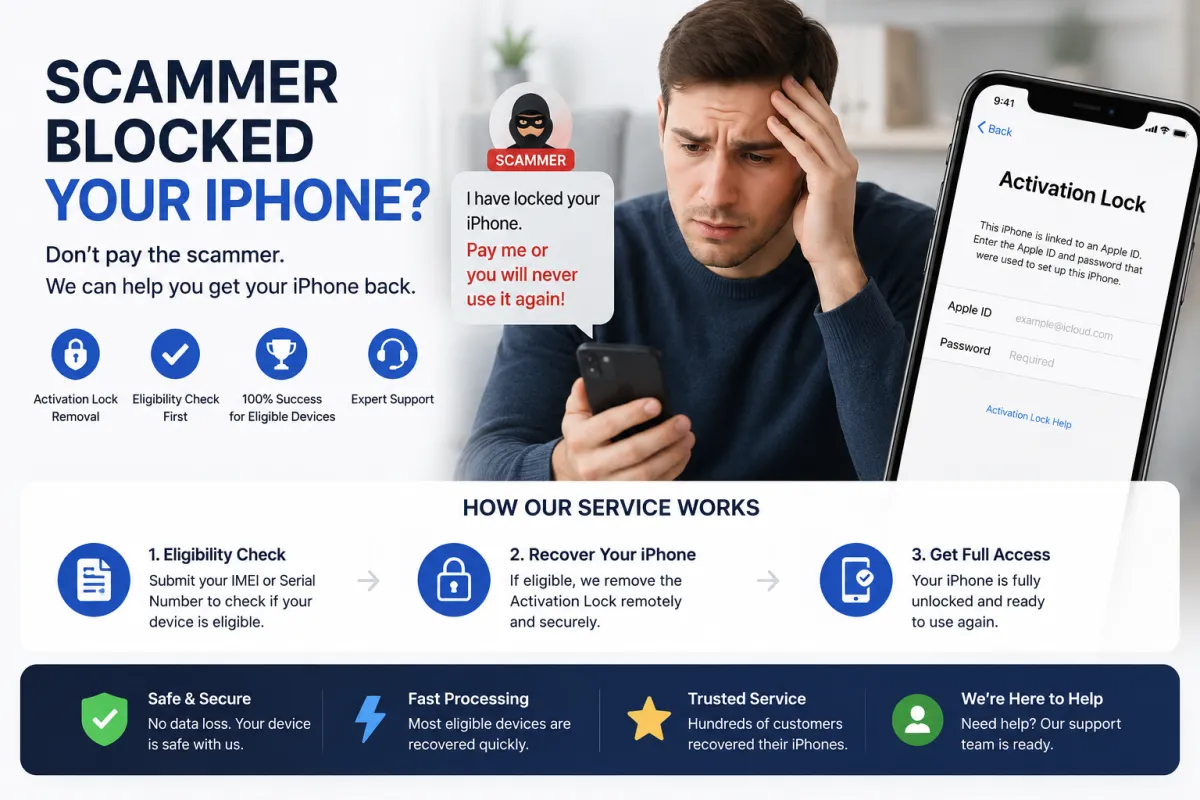
- The Scammer's Trap: A scammer tricked you into signing into their Apple ID on your iPhone. Common pretexts include: 'Sign in to my Apple ID to print tickets,' 'Let me test this app with my account,' 'Sign in to verify my iCloud,' or 'This is our corporate Apple ID for work.'
- Remote Lock: The moment you signed in, the scammer enabled Find My iPhone and activated Lost Mode or Activation Lock on your device.
- The Ransom Demand: A message appears on your locked screen with the scammer's contact information and a demand for payment (typically 10,000–60,000 RUB or equivalent in USD/EUR) to unlock the device.
The scam works because Apple's security features — designed to protect you — are now being used against you. The scammer has remote control over your device until the lock is removed by Apple or a legitimate third-party service.
Immediate Steps – What to Do in the First Minutes
Your priority is to prevent further damage and preserve your data. Follow these steps in order:
1. Disconnect from the Internet – IMMEDIATELY
Put your iPhone into Airplane Mode by swiping down from the top-right corner and tapping the airplane icon. Alternatively, turn off Wi-Fi and mobile data in Settings. This stops the scammer from remotely erasing your device or taking further action.
2. Do NOT Pay the Ransom
This is the single most important rule. Paying does not guarantee the device will be unlocked. Scammers often:
- Demand more money after the first payment.
- Disappear completely after receiving payment.
- Use your willingness to pay as a sign that you are a target for future scams.
You lose both the device and the money.
3. Document Everything
Take photos or screenshots of the ransom message on the lock screen, the scammer's contact details, and any communication you've had with them. This evidence is essential for police reports and Apple Support.
Recovery Option 1: Official Apple Support (Free, Most Reliable)
Apple is the only official authority that can remove Activation Lock without the scammer's password. This is the safest and most reliable method, but it requires you to prove you are the legitimate owner of the device.
What You Need to Prepare:
- Original proof of purchase: Receipt or invoice showing the serial number or IMEI, purchase date, and seller's name.
- The original box: The serial number is printed on the barcode sticker.
- Government-issued ID: Passport or driver's license (if visiting an Apple Store in person).
- Device IMEI: Find it on the original box, the SIM tray, or your carrier's records.
Step-by-Step Process:
- Go to Apple Support (support.apple.com) and navigate to iPhone → Activation Lock.
- Start the request to remove Activation Lock. You will be asked to provide your proof of purchase.
- Upload scans or photos of your receipt and other documentation.
- Wait for Apple to review your case. This typically takes 3–7 business days.
- If approved, Apple removes the Activation Lock from their servers. Restart your iPhone and set it up with your own Apple ID.
What if you don't have the receipt? Apple is very strict about proof of ownership. Without it, they will almost certainly refuse your request. In that case, proceed to Recovery Option 2 below.
Recovery Option 2: IMEI Unlock Service (e.g., S7OFF)
If Apple refuses your request because you lack proof of purchase, or if you need a faster solution, a reputable third-party IMEI unlock service like S7OFF can help.
How S7OFF Works for This Scenario:
- You provide your iPhone's IMEI (check the original box, the SIM tray, or your carrier's records).
- S7OFF performs a free eligibility check to see if your device qualifies for a server-side unlock — removing the scammer's Apple ID from Apple's database.
- If eligible, you purchase the service, and the unlock is processed within 1–3 business days.
- Once completed, restart your iPhone — the Activation Lock screen disappears, and you can set it up with your own Apple ID.
Important security note: S7OFF and other legitimate services never ask for your Apple ID password — they only need the IMEI. If a service asks for your password, it is a scam. Always check independent reviews on Trustpilot or Reddit before purchasing.
Legal Action – Reporting the Crime to Police
Reporting the scam to law enforcement is an important step for several reasons:
- It creates a legal record of the crime.
- It may help police track down the scammers.
- It protects other potential victims.
What to bring to the police station:
- Screenshots of the ransom message on your iPhone.
- Screenshots of any communication with the scammer (texts, emails, chat logs).
- The scammer's contact details (phone number, email, Telegram ID, etc.).
- Your device's IMEI number.
- Your proof of purchase (if available).
Important: In many countries, this qualifies as extortion, fraud, or cybercrime. Police may take a formal statement and open an investigation.
After Recovery – How to Secure Your Apple ID
Once you regain access to your Apple ID, take these steps immediately to prevent future attacks:
- Change your Apple ID password – create a strong, unique password that you don't use anywhere else.
- Enable Two-Factor Authentication (2FA) – this adds a critical layer of security. Without 2FA, your account remains vulnerable.
- Sign out of all browsers – go to appleid.apple.com and sign out of all active sessions to force the scammer out.
- Remove unfamiliar devices – check your device list and remove any devices you don't recognize.
- Update your recovery contacts – ensure your trusted phone numbers and recovery email are correct.
- Review your iCloud data – check for any unauthorized changes, contacts, or messages.
Remember: The scammer may have accessed your iCloud data. Change passwords for any sensitive accounts (banking, email, social media) that may have been linked to your Apple ID.
Prevention – How to Avoid This Scam in the Future
Learn from this experience. Follow these golden rules to protect yourself:
- NEVER sign into someone else's Apple ID on your device. This is the #1 rule. No legitimate person, recruiter, friend, or family member will ever ask you to do this.
- Be suspicious of unsolicited requests. If someone you don't know well asks you to help with their Apple ID, it is a scam.
- Enable Two-Factor Authentication (2FA). This makes it much harder for scammers to access your account even if they have your password.
- Use strong, unique passwords. Never reuse passwords across services.
- Keep your iOS updated. Apple regularly patches security vulnerabilities.
- Educate your friends and family. Share this guide to help them avoid the same trap.
Frequently Asked Questions
Q1: I already paid the ransom. Can I get my money back?
A: Unlikely, especially if paid via cryptocurrency or gift cards. Report the transaction to your bank or payment provider, but focus on recovering the device through Apple or S7OFF.
Q2: Can I unlock my iPhone myself without Apple or a third-party service?
A: No. There is no legitimate way to bypass Activation Lock without Apple's authorization or a legitimate IMEI unlock service. Any 'free tool' online is a scam.
Q3: My iPhone is in Lost Mode – can Apple unlock it without proof of purchase?
A: Apple requires proof of purchase for all Activation Lock removal requests. Without it, they will almost certainly refuse.
Q4: How long does the Apple Support process take?
A: Typically 3–7 business days, but it can take longer during peak periods.
Q5: How long does the S7OFF unlock take?
A: Usually 1–3 business days. You will receive email updates at each stage.
Q6: Can S7OFF unlock my device if Apple refused?
A: Yes, if your device is eligible. S7OFF doesn't require proof of purchase — only your IMEI. Use the free eligibility checker to confirm.
Q7: Will unlocking via S7OFF void my Apple warranty?
A: No. The unlock is a server-side change that does not affect the hardware or iOS, so your warranty remains intact.
Q8: Can the scammer lock my device again after I unlock it?
A: No. Once the lock is removed, the device is no longer associated with the scammer's Apple ID. They lose all remote control over it.
Q9: Should I report the scammer to the police?
A: Yes. This is a crime (extortion, fraud, or cybercrime). Provide them with all evidence you have.
Q10: What should I tell my friends and family about this?
A: Share this guide. Warn them: 'Never sign into someone else's Apple ID, no matter what they promise or what emergency they claim.'
What Just Happened? Understanding the Scam
Here is exactly how the scam works:
- The Scammer's Trap: A scammer tricked you into signing into their Apple ID on your iPhone. Common pretexts include: 'Sign in to my Apple ID to print tickets,' 'Let me test this app with my account,' 'Sign in to verify my iCloud,' or 'This is our corporate Apple ID for work.'
- Remote Lock: The moment you signed in, the scammer enabled Find My iPhone and activated Lost Mode or Activation Lock on your device.
- The Ransom Demand: A message appears on your locked screen with the scammer's contact information and a demand for payment (typically 10,000–60,000 RUB or equivalent in USD/EUR) to unlock the device.
The scam works because Apple's security features — designed to protect you — are now being used against you. The scammer has remote control over your device until the lock is removed by Apple or a legitimate third-party service.
Immediate Steps – What to Do in the First Minutes
Your priority is to prevent further damage and preserve your data. Follow these steps in order:
1. Disconnect from the Internet – IMMEDIATELY
Put your iPhone into Airplane Mode by swiping down from the top-right corner and tapping the airplane icon. Alternatively, turn off Wi-Fi and mobile data in Settings. This stops the scammer from remotely erasing your device or taking further action.
2. Do NOT Pay the Ransom
This is the single most important rule. Paying does not guarantee the device will be unlocked. Scammers often:
- Demand more money after the first payment.
- Disappear completely after receiving payment.
- Use your willingness to pay as a sign that you are a target for future scams.
You lose both the device and the money.
3. Document Everything
Take photos or screenshots of the ransom message on the lock screen, the scammer's contact details, and any communication you've had with them. This evidence is essential for police reports and Apple Support.
Recovery Option 1: Official Apple Support (Free, Most Reliable)
Apple is the only official authority that can remove Activation Lock without the scammer's password. This is the safest and most reliable method, but it requires you to prove you are the legitimate owner of the device.
What You Need to Prepare:
- Original proof of purchase: Receipt or invoice showing the serial number or IMEI, purchase date, and seller's name.
- The original box: The serial number is printed on the barcode sticker.
- Government-issued ID: Passport or driver's license (if visiting an Apple Store in person).
- Device IMEI: Find it on the original box, the SIM tray, or your carrier's records.
Step-by-Step Process:
- Go to Apple Support (support.apple.com) and navigate to iPhone → Activation Lock.
- Start the request to remove Activation Lock. You will be asked to provide your proof of purchase.
- Upload scans or photos of your receipt and other documentation.
- Wait for Apple to review your case. This typically takes 3–7 business days.
- If approved, Apple removes the Activation Lock from their servers. Restart your iPhone and set it up with your own Apple ID.
What if you don't have the receipt? Apple is very strict about proof of ownership. Without it, they will almost certainly refuse your request. In that case, proceed to Recovery Option 2 below.
Recovery Option 2: IMEI Unlock Service (e.g., S7OFF)
If Apple refuses your request because you lack proof of purchase, or if you need a faster solution, a reputable third-party IMEI unlock service like S7OFF can help.
How S7OFF Works for This Scenario:
- You provide your iPhone's IMEI (check the original box, the SIM tray, or your carrier's records).
- S7OFF performs a free eligibility check to see if your device qualifies for a server-side unlock — removing the scammer's Apple ID from Apple's database.
- If eligible, you purchase the service, and the unlock is processed within 1–3 business days.
- Once completed, restart your iPhone — the Activation Lock screen disappears, and you can set it up with your own Apple ID.
Important security note: S7OFF and other legitimate services never ask for your Apple ID password — they only need the IMEI. If a service asks for your password, it is a scam. Always check independent reviews on Trustpilot or Reddit before purchasing.
Legal Action – Reporting the Crime to Police
Reporting the scam to law enforcement is an important step for several reasons:
- It creates a legal record of the crime.
- It may help police track down the scammers.
- It protects other potential victims.
What to bring to the police station:
- Screenshots of the ransom message on your iPhone.
- Screenshots of any communication with the scammer (texts, emails, chat logs).
- The scammer's contact details (phone number, email, Telegram ID, etc.).
- Your device's IMEI number.
- Your proof of purchase (if available).
Important: In many countries, this qualifies as extortion, fraud, or cybercrime. Police may take a formal statement and open an investigation.
After Recovery – How to Secure Your Apple ID
Once you regain access to your Apple ID, take these steps immediately to prevent future attacks:
- Change your Apple ID password – create a strong, unique password that you don't use anywhere else.
- Enable Two-Factor Authentication (2FA) – this adds a critical layer of security. Without 2FA, your account remains vulnerable.
- Sign out of all browsers – go to appleid.apple.com and sign out of all active sessions to force the scammer out.
- Remove unfamiliar devices – check your device list and remove any devices you don't recognize.
- Update your recovery contacts – ensure your trusted phone numbers and recovery email are correct.
- Review your iCloud data – check for any unauthorized changes, contacts, or messages.
Remember: The scammer may have accessed your iCloud data. Change passwords for any sensitive accounts (banking, email, social media) that may have been linked to your Apple ID.
Prevention – How to Avoid This Scam in the Future
Learn from this experience. Follow these golden rules to protect yourself:
- NEVER sign into someone else's Apple ID on your device. This is the #1 rule. No legitimate person, recruiter, friend, or family member will ever ask you to do this.
- Be suspicious of unsolicited requests. If someone you don't know well asks you to help with their Apple ID, it is a scam.
- Enable Two-Factor Authentication (2FA). This makes it much harder for scammers to access your account even if they have your password.
- Use strong, unique passwords. Never reuse passwords across services.
- Keep your iOS updated. Apple regularly patches security vulnerabilities.
- Educate your friends and family. Share this guide to help them avoid the same trap.
Frequently Asked Questions
Q1: I already paid the ransom. Can I get my money back?
A: Unlikely, especially if paid via cryptocurrency or gift cards. Report the transaction to your bank or payment provider, but focus on recovering the device through Apple or S7OFF.
Q2: Can I unlock my iPhone myself without Apple or a third-party service?
A: No. There is no legitimate way to bypass Activation Lock without Apple's authorization or a legitimate IMEI unlock service. Any 'free tool' online is a scam.
Q3: My iPhone is in Lost Mode – can Apple unlock it without proof of purchase?
A: Apple requires proof of purchase for all Activation Lock removal requests. Without it, they will almost certainly refuse.
Q4: How long does the Apple Support process take?
A: Typically 3–7 business days, but it can take longer during peak periods.
Q5: How long does the S7OFF unlock take?
A: Usually 1–3 business days. You will receive email updates at each stage.
Q6: Can S7OFF unlock my device if Apple refused?
A: Yes, if your device is eligible. S7OFF doesn't require proof of purchase — only your IMEI. Use the free eligibility checker to confirm.
Q7: Will unlocking via S7OFF void my Apple warranty?
A: No. The unlock is a server-side change that does not affect the hardware or iOS, so your warranty remains intact.
Q8: Can the scammer lock my device again after I unlock it?
A: No. Once the lock is removed, the device is no longer associated with the scammer's Apple ID. They lose all remote control over it.
Q9: Should I report the scammer to the police?
A: Yes. This is a crime (extortion, fraud, or cybercrime). Provide them with all evidence you have.
Q10: What should I tell my friends and family about this?
A: Share this guide. Warn them: 'Never sign into someone else's Apple ID, no matter what they promise or what emergency they claim.'