How the Job Abroad iPhone Scam Works – Step by Step
This scam is carefully designed to prey on people desperate for work abroad. Here's exactly how it unfolds:
Step 1: The Attractive Offer
Scammers post fake job vacancies on job boards, Telegram channels, Facebook groups, or local expat chats. The offers are tempting:
- High salaries abroad — jobs in IT, customer support, or logistics with salaries far above market rates.
- Easy remote work — app testing, data entry, or simple tasks paying $500 per hour or more.
- Jobs in popular destinations — Vietnam, Thailand, UAE, Europe, or other countries where many Russians seek work.
The scammers often target expat communities, residential complex chats, and Telegram channels where people are actively looking for work.
Step 2: The 'Interview'
When you respond, the scammer acts like a professional recruiter. They may:
- Conduct a fake interview via Zoom, Telegram, or phone.
- Send you a professional-looking job description.
- Ask about your experience and availability.
- Build trust by appearing knowledgeable and legitimate.
The goal is to make you feel like you're going through a real hiring process.
Step 3: The Trap — 'Sign Into Our Corporate Apple ID'
At some point during the process, the scammer says something like:
- 'To access our internal systems, you need to sign into our corporate Apple ID.'
- 'Please log into this account to test our app before the job starts.'
- 'We need you to install our company software — use this Apple ID to download it.'
They provide a login (email) and password, and ask you to sign out of your own Apple ID and sign into theirs. They may say it's a 'quick verification' or that you need to do this to 'start working immediately.'
Step 4: The Lock
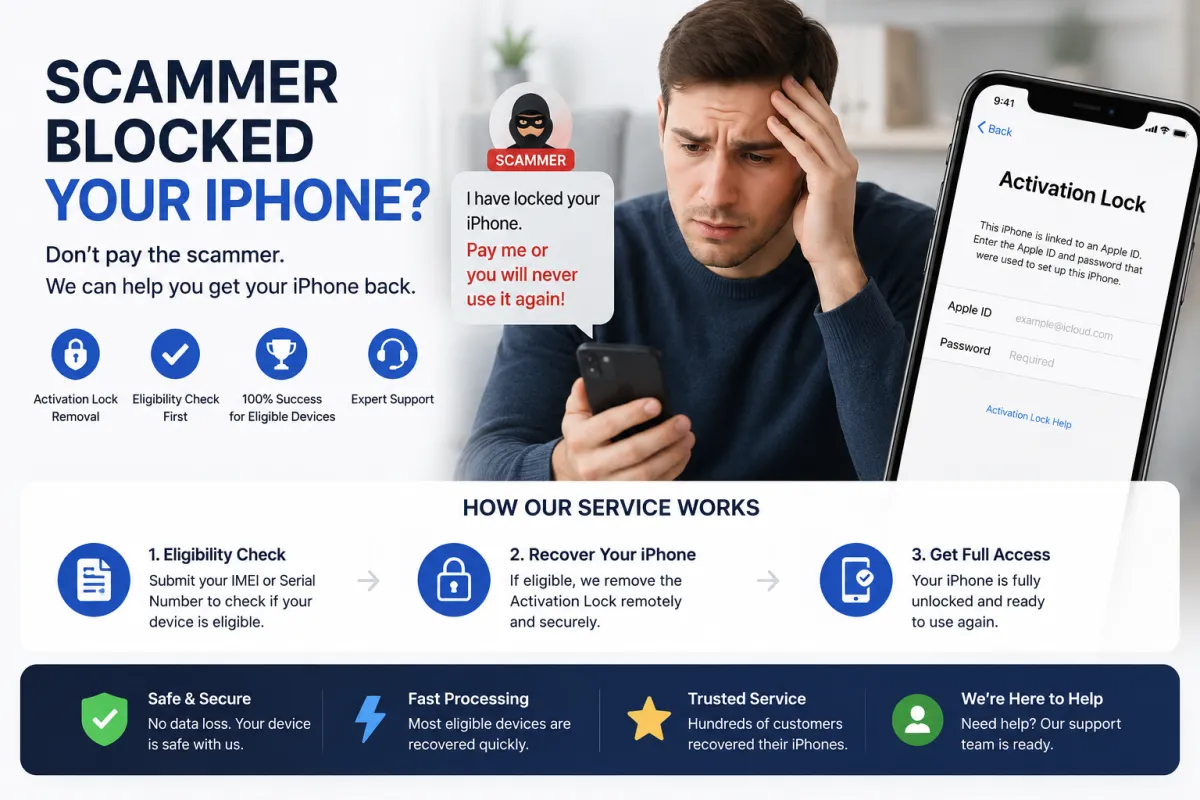
The moment you sign into the scammer's Apple ID on your iPhone, the scammer — watching from their device — sees your phone appear in their list of devices. They immediately:
- Change the Apple ID password — locking you out.
- Enable Find My iPhone — linking your device to their account.
- Activate Lost Mode — remotely locking your screen.
- 10,000 to 60,000 RUB (or equivalent in USD/EUR).
- Payment via cryptocurrency, gift cards, or irreversible transfers.
- Threats to erase your data, sell your information, or permanently brick the device if you don't pay.
Your iPhone is now a brick. You cannot sign out, cannot reset it, and cannot use it.
Step 5: The Ransom Demand
A message appears on your locked screen demanding payment to unlock the device. Scammers typically demand:
In many cases, scammers demand multiple payments, continuing to extort victims even after the first payment.
Who Is Being Targeted?
This scam specifically targets people who are:
- Seeking work abroad — especially in countries like Vietnam, Thailand, UAE, and Europe where many Russians and CIS citizens relocate.
- New to the country — unfamiliar with local job markets and more vulnerable to scams.
- Active in expat communities — on Telegram, Facebook, or local chat groups where scammers post fake vacancies.
- Desperate for quick work — the promise of high salaries or easy tasks makes them less cautious.
The scammers often target tourists and recent arrivals who are looking for part-time work or remote jobs to support their travels.
What to Do If You've Already Signed Into the Scammer's Apple ID
If you realize you've been tricked, act immediately. Here's what to do:
1. Do NOT Pay the Ransom
This is the most important rule. Paying does not guarantee the device will be unlocked. Scammers often demand more money or simply disappear after receiving payment. You lose both the money and the device.
2. Disconnect from the Internet
If the device is not yet locked, put it into Airplane Mode or turn off Wi-Fi and mobile data immediately. This prevents the scammer from remotely locking or erasing the device.
3. If the Device Is Still Unlocked — Sign Out Immediately
If you can still access Settings:
- Go to Settings → [Your Name] → Sign Out.
- Enter the scammer's password (the one they gave you).
- Sign out immediately and sign back in with your own Apple ID.
- Change your Apple ID password immediately.
If the scammer has already changed the password, proceed to Step 4.
4. Contact Apple Support
If you have the original proof of purchase (receipt with serial number/IMEI), you can submit a request to Apple to remove the Activation Lock. This is the official, free method but requires documentation.
5. Use S7OFF IMEI Unlock Service
If you don't have the original receipt or Apple refuses your request, S7OFF offers a legitimate IMEI-based unlock service. We can remove the scammer's Apple ID from your device's activation lock. Use our free eligibility checker to see if your device can be unlocked — if eligible, we guarantee 100% success. No ransom payment required.
6. Report the Crime
File a police report. Provide screenshots of the ransom message, the scammer's contact details, and any communication. This helps law enforcement track down scammers and prevents future victims.
7. Block Your Bank Cards
If you had payment methods linked to your Apple ID, contact your bank immediately to block any cards that may have been compromised.
How to Protect Yourself — The Golden Rules
Follow these rules to avoid falling victim to this scam:
RULE 1: NEVER Sign Into Someone Else's Apple ID
This is the most important rule. No legitimate employer, recruiter, or company will ever ask you to sign into their Apple ID on your personal device. If someone asks you to do this, it is a scam — 100% of the time.
RULE 2: Verify the Employer
Before engaging with any job offer:
- Check the company's official website — scammers often impersonate real companies.
- Ask for a corporate email address — legitimate recruiters will have emails ending with the company's domain.
- Search for reviews — look up the company and the recruiter's name online.
- Be suspicious of urgency — scammers pressure you to act quickly.
RULE 3: Be Suspicious of Unrealistic Offers
If a job offer seems too good to be true — it probably is. High salaries, easy tasks, and instant hiring are red flags.
RULE 4: Avoid Messaging Apps for Official Communication
Scammers prefer Telegram, WhatsApp, and other messaging apps because they are anonymous and hard to trace. Legitimate recruiters typically use email or official platforms.
RULE 5: If You're Asked to Go Into Settings — STOP
If anyone asks you to go into Settings → Apple ID or to sign out of your account, stop immediately. No legitimate job requires this. If you need to download an app for work, you can do it from the App Store without changing your Apple ID.
RULE 6: Educate Your Friends and Family
Share this information with anyone you know who is looking for work abroad. Many victims are targeted through recommendations from friends who unknowingly spread scam links.
Why This Scam Works and Why It's So Dangerous
This scam is particularly effective because it exploits several vulnerabilities:
- Desperation for work: People seeking jobs abroad are often in a vulnerable position — they need income quickly and may overlook red flags.
- Trust in authority: Scammers pose as recruiters from large companies, leveraging Authority Bias to gain trust.
- Technical confusion: Many people don't understand the difference between signing into the App Store and signing into iCloud in Settings.
- Urgency: Scammers create a sense of urgency to prevent critical thinking — 'You need to do this now to start work tomorrow.'
- Fear of missing out: The promise of a high-paying job abroad makes people eager to comply.
The irony is that scammers use Apple's own security feature — Find My iPhone — against victims. This feature was designed to protect devices from theft, but scammers use it to lock legitimate owners out of their own phones.
Real Cases — What Victims Are Saying
Here are real examples of how this scam has affected people:
- Vietnam (2025): Several dozen Russians in Nha Trang lost their iPhones after falling for fake job offers promising $500 per hour for online store work. Scammers blocked their devices and demanded 15,000 RUB ransom.
- Russia (2025): Scammers impersonating recruiters from large companies conducted fake interviews, asked candidates to sign into 'corporate' Apple IDs, then locked their phones and demanded ransom.
- Telegram scam campaigns: Scammers contact victims via Telegram, posing as company managers offering remote app testing jobs. Victims are asked to sign into a fake Apple ID, then their devices are locked.
These cases show that the scam is global and growing. It's not limited to one country or platform — it's a widespread threat that requires constant vigilance.
Frequently Asked Questions
Q1: I'm looking for a job abroad. How can I tell if a job offer is a scam?
A: Red flags include: unrealistic salaries, requests to sign into someone else's Apple ID, communication only via messaging apps, urgency to act quickly, and lack of a verifiable company website or email.
Q2: What if the recruiter seems legitimate and has a professional profile?
A: Scammers can create convincing fake profiles. Always verify independently — contact the company through their official website, not through the recruiter's provided contact details.
Q3: Can S7OFF unlock my device if I fell for this scam?
A: Yes, if your device is eligible. Use our free IMEI checker to confirm. We guarantee 100% success for eligible devices — no ransom payment required.
Q4: I already paid the ransom. Can I get my money back?
A: Unlikely, especially if paid via cryptocurrency or gift cards. Report the transaction to your bank/payment provider, but focus on recovering the device through Apple or S7OFF.
Q5: Can Apple unlock my device without a receipt?
A: Apple is very strict about proof of ownership. Without a receipt or proof of purchase, they will almost certainly refuse. In that case, S7OFF is your best alternative.
Q6: Will restoring my iPhone via iTunes remove the lock?
A: No. Restoring the device does not remove Activation Lock. You will still be locked out after the restore.
Q7: Is this scam only happening in certain countries?
A: No. This scam has been reported in Vietnam, Russia, and other countries. It's a global problem targeting job seekers everywhere.
Q8: What if I'm already in another country and my phone is locked?
A: Follow the same steps: do not pay, contact Apple Support (if you have proof of purchase), or use S7OFF's IMEI unlock service. Report the crime to local police.