Answer First
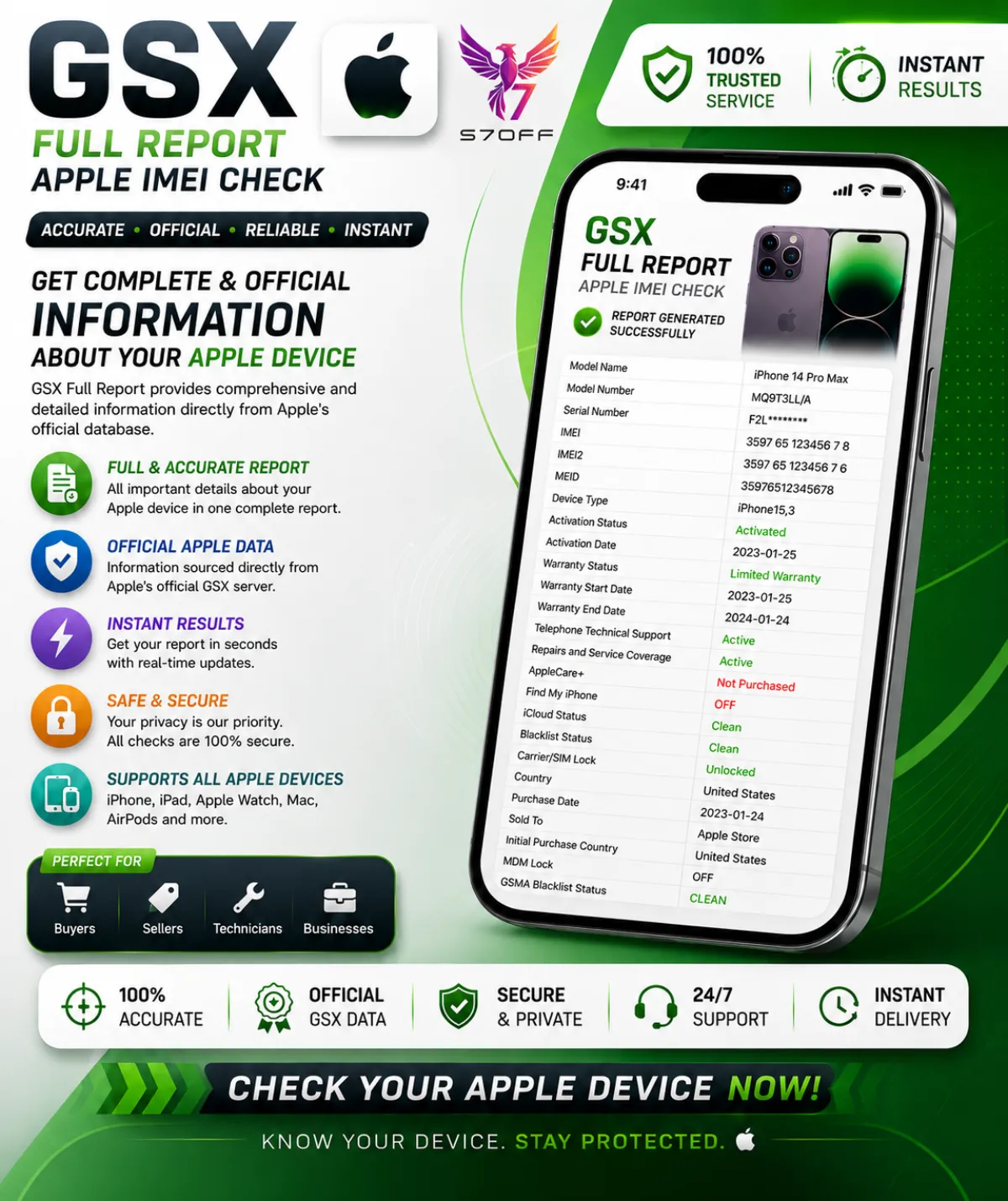
An Apple GSX report is not just basic iPhone information. Each line helps identify a different device risk, such as carrier lock, iCloud status, MDM, Chimaera flag, blacklist, warranty, purchase data or activation policy.
IMEI and IMEI2
IMEI and IMEI2 are the main network identifiers of the device. They are used for SIM-lock checks, carrier checks, blacklist checks, warranty lookup and network-related history. Dual SIM or eSIM-capable devices may show more than one IMEI.
Serial Number
The serial number is the main Apple hardware identifier. It is important for GSX lookup, Apple Support cases, FMI checks, MDM checks, warranty data and matching the device board or housing with Apple records.
Model, Config Code and Configuration
The model shows the commercial device name, such as iPhone 15 Pro Max or iPad Pro. Config Code and Configuration help identify the exact Apple version, including storage, color, region and hardware configuration.
Product Line
Product Line shows the Apple product family, such as iPhone, iPad, Mac or Apple Watch. This helps separate phone, tablet, computer and watch-related checks or services.
Purchase Date and Purchase Country
Purchase Date shows when the device was originally purchased or activated in Apple records. Purchase Country shows the sales region. These fields are important for warranty, Apple Support, proof of purchase cases and regional service rules.
Sold To
Sold To shows who Apple originally sold the device to, such as a carrier, distributor, reseller, company or regional partner. This field can help identify whether the device came from a carrier, enterprise channel or regular retail distribution.
Registration Date and Coverage
Registration Date shows when the device was registered or activated in Apple's system. Coverage or Warranty shows whether the device is still under warranty, out of warranty or covered by AppleCare.
OS Version
OS Version shows the last known iOS, iPadOS or macOS version reported in Apple records. This can be useful for repair, restore, compatibility and service planning.
Unlocked and SIM Lock
Unlocked or SIM Lock status shows whether the device is carrier locked or unlocked for SIM use. This is important before buying a device, reselling it or ordering any carrier unlock service.
Activation Policy Fields
Initial Activation Policy shows the original activation policy applied to the device. Applied Activation Policy shows the current policy. Next Tether Policy shows what policy may be applied after restore or activation. These fields are very important for carrier unlock, activation and reseller cases.
First Activation, Last Restore and Unlock Date
First Activation Date shows when the device was activated for the first time. Last Restore Date shows when it was last restored through Apple servers. Unlock Date shows when a carrier unlock was applied, if available.
FMI Status
FMI Status shows whether Find My iPhone or Find My iPad is ON or OFF. FMI ON means the device may have Activation Lock risk. FMI OFF usually means the device is not linked to Find My activation lock.
MDM Status
MDM Status shows whether Mobile Device Management is active. If MDM is ON, the device may be linked to a company, school or enterprise management profile. Always check MDM before ordering iCloud or FMI OFF services.
Chimaera Status
Chimaera Status is an Apple activation risk flag. If Chimaera Status is CLEAR, this specific risk is not detected. If it is FLAGGED, the device should be treated as high-risk and should not be accepted like a normal iCloud unlock case.
Blacklist Status
Blacklist Status shows whether the IMEI is reported as blacklisted, lost, stolen or blocked by a carrier database. Blacklisted devices are risky for resale and may not be accepted by many unlock services.
Loaner, Personalized and eSIM EID
Loaner shows whether the device is an Apple loaner unit. Personalized may show special personalization or configuration information. eSIM EID is the eSIM module identifier and is important for eSIM-capable devices.
Important Risk Combinations
FMI ON plus MDM ON is risky because the device may have both Activation Lock and management restrictions. FMI ON plus Chimaera FLAGGED is a very high-risk case. Blacklist, lost or stolen status should also be treated as a serious warning.
Before Buying or Ordering Service
Before buying an Apple device or ordering iCloud, FMI OFF, MDM or carrier unlock service, check more than one field. Do not rely only on model or FMI status. Review FMI, MDM, Chimaera, blacklist, carrier lock, purchase country, sold to and activation policy.
Final Answer
Every GSX report line has a purpose. The report helps you understand not only what the device is, but also whether it is safe to buy, resell, unlock or accept for iCloud / FMI OFF service.